Page 1 of 1
Map editor: more options for pick button
Posted: Fri Apr 30, 2021 2:42 pm
by makazuwr32
@Stratego (dev).
Recently due to change of mountains into decoration i am not be able to pick in auto mode mountain tiles i need to and instead must always take a look into tile set which is time consuming and also it is hard to get the righr tile sometimes.
Which is why i suggest to add 2 modes for that button:
Pick Decoration and Pick Tile.
It will significantly reduce time needed for map creation.
Changing modes can be made by long click on button maybe?
Re: Map editor: more options for pick button
Posted: Fri Apr 30, 2021 2:47 pm
by godOfKings
There is a mountain tile that can b autotiled, all autotile-able tiles have a red square boundary, click the mountain tile with red square boundary
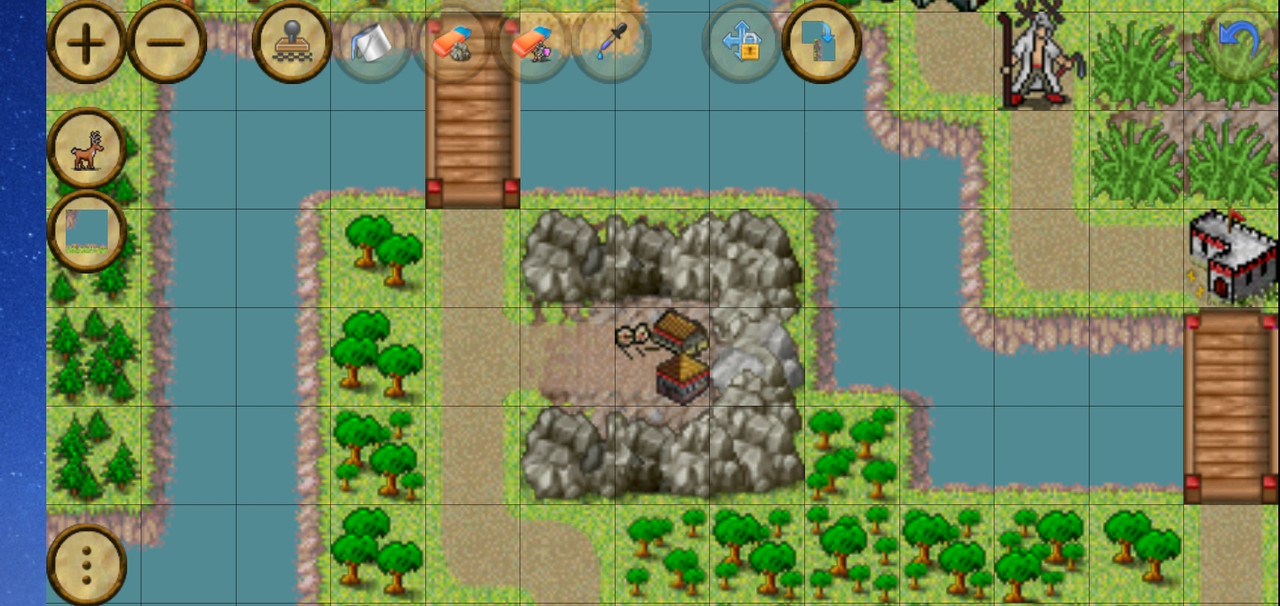
I autotiled the mountain boundary around archery range and there wasnt any problem ( i believe this is the same mountain tile u r talking about?)
Re: Map editor: more options for pick button
Posted: Fri Apr 30, 2021 5:56 pm
by makazuwr32
No-no-no-no-no.
I am using it, BUT. In several cases i need that mountain to NOT BE autotiled. For example when i am making a ravine.
Tiles next to grass should fill the border while to ravine must be "semi-autotiled".
Or some crack inside a big hill with water/lava below.
This crack is not even 1 tile sized though.
Here is an example, best for now possible for me:

This is small one. And even still it took for me 15 minutes to make it looking not too bad (but still looks bad). 70% of time i was waiting for tiles collection to be reopened after i tried one mountain decoration tile or another.
And imagine than making similar thing that is 20+ tiles long, 8 tiles width and has many corners (more than 15)?
It will take several hours if not more to make that. Time that i can spend onto something more useful — for example onto coding triggers and polishing difficulty.
Re: Map editor: more options for pick button
Posted: Wed May 12, 2021 6:09 am
by makazuwr32
@Stratego (dev) any comments?
Re: Map editor: more options for pick button
Posted: Wed May 12, 2021 6:35 am
by Stratego (dev)
please dont hack with the tiles. use it on their intended ways (as we already discussed) - a tile can change appearance anytime - so use forest to be forest, mountain to be mountain as they anytime can change appearance, and such carefully manually put tiles can get ruined later by an appearance change.
but anyway you can turn off autotile mode and u see all individual tiles.
or that only works on terrain tiles, not on decorations?
Re: Map editor: more options for pick button
Posted: Wed May 12, 2021 9:55 am
by makazuwr32
That does not work on decorations layer at all.
Also in some cases i need a bit different than normal auto tiling for mountains. For example to show that it is a hill.
I am not trying to use tiles unintended way now. I just want to make a crack in mountains with something below it (lava/water/regular land and many more). To make mountains less plain and more interesting.